AMT Tool (Android Multi Tool) v1.3.5.8—Latest Version Download
INTRODUCTION
AMT Tool (Android Multi Tool) v1.3.5.8 is a professional Windows-based Android servicing software designed for mobile repair technicians and service centers. It helps perform firmware flashing, factory reset, FRP reset on supported devices, screen lock servicing, bootloader operations, partition management, and device information reading across multiple Android smartphones. The latest version supports selected devices from Samsung, Xiaomi, Redmi, POCO, Vivo, OPPO, Realme, OnePlus, Tecno, Infinix, Itel, Motorola, and Huawei, depending on the model, chipset, Android version, and security patch level.
The official Android Multi Tool platform also provides online services such as AMT Tool registration, server authentication, credit-based operations, and supported model verification for eligible repair functions. Before downloading or using the software, technicians should review the latest AMT Tool server status, registration requirements, and supported device list, as some advanced features require an active account or online authorization. This tool is intended for professional mobile servicing and software repair on devices you own or are authorized to service.
AMT Tool v1.3.5.8 Download
Before downloading, users should verify that AMT Tool latest version matches their device, chipset, and current servicing requirements. The download file is hosted on a third-party file-sharing service. Always scan downloaded files with your security software before opening them.
Version: v1.3.5.8
Platform: Windows
Last Updated: October 2026
Download: AMT Tool v1.3.5.8
What is the AMT tool? Introduction to Android Multi-Tool
AMT Tool is a professional Android servicing tool built for mobile repair technicians. It helps in software-level repair tasks like firmware flashing, factory reset, boot-related operations, device information reading, and FRP reset on authorized devices. Users who need premium servicing operations often complete the AMT Tool registration process and use AMT Tool login credentials before accessing online features.
AMT Tool, also known as Android Multi Tool, is professional Windows-based mobile servicing software used by repair technicians for supported Android devices. Users searching for AMT Tool download, Android Multi Tool download, Android Multi Tools, AMTT, or simply AMT may be looking for information about the same Android servicing platform. Depending on the supported device and operation, the tool can be used for firmware flashing, FRP reset, factory reset, screen lock servicing, bootloader operations, partition management, and other Android repair tasks.
AMT is not a normal Android app. It is a desktop-based tool used with USB drivers, supported device modes, and proper technician knowledge. It should only be used on devices you own or devices where you have clear permission to perform repair work. Before performing a factory reset, users should back up important data and account information where possible, including login details for services such as WhatsApp, Gmail, banking apps, and an RTA NOL card balance check app. This can help prevent the loss of important information after the reset.
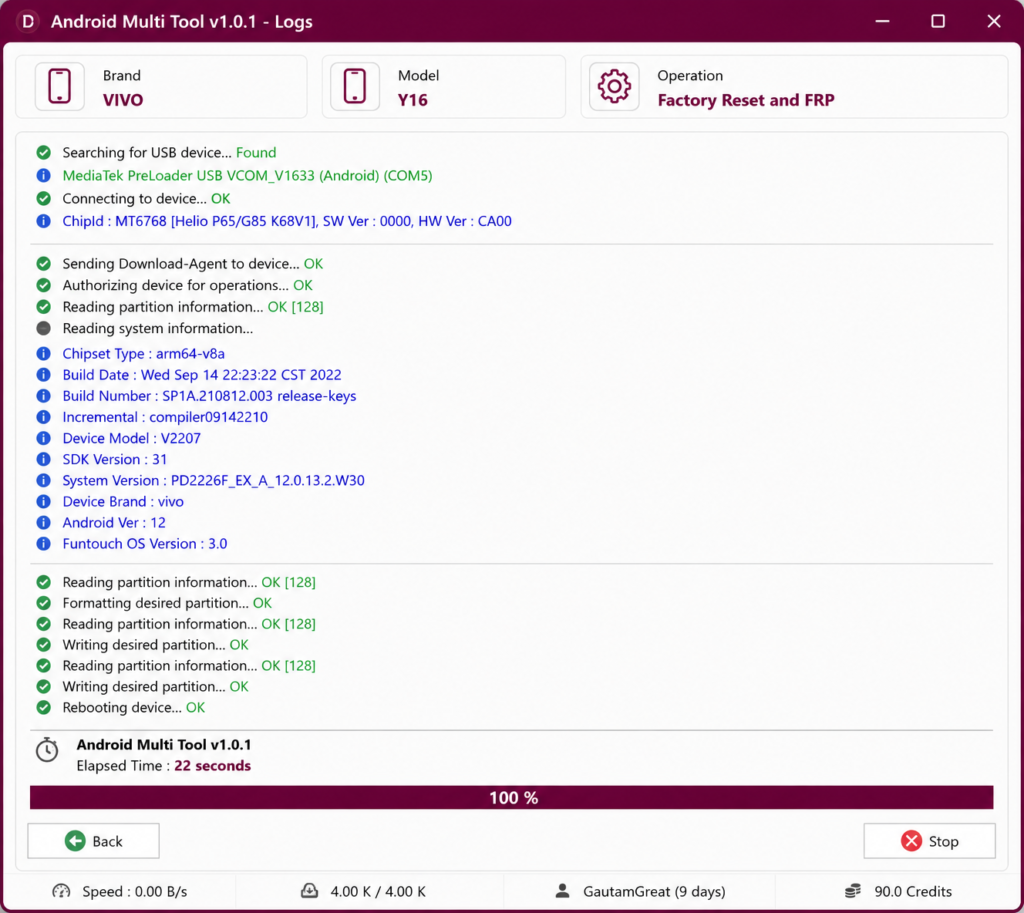
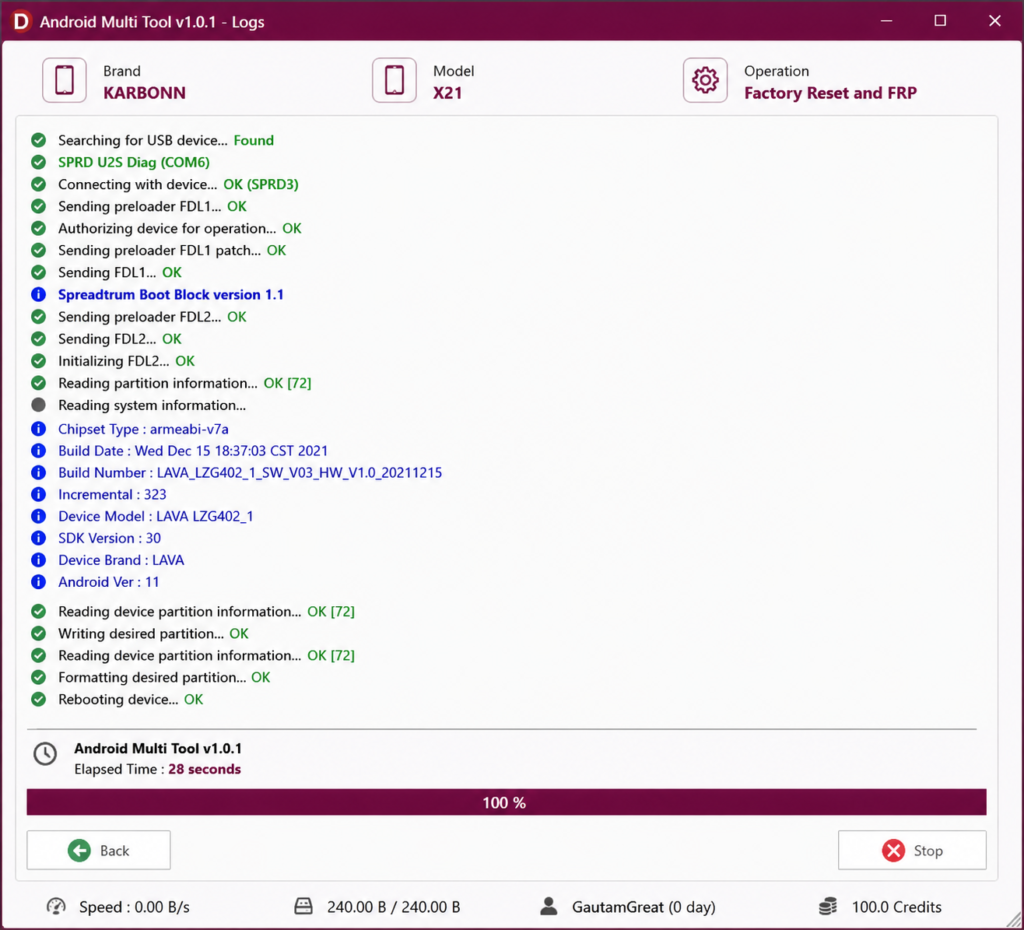
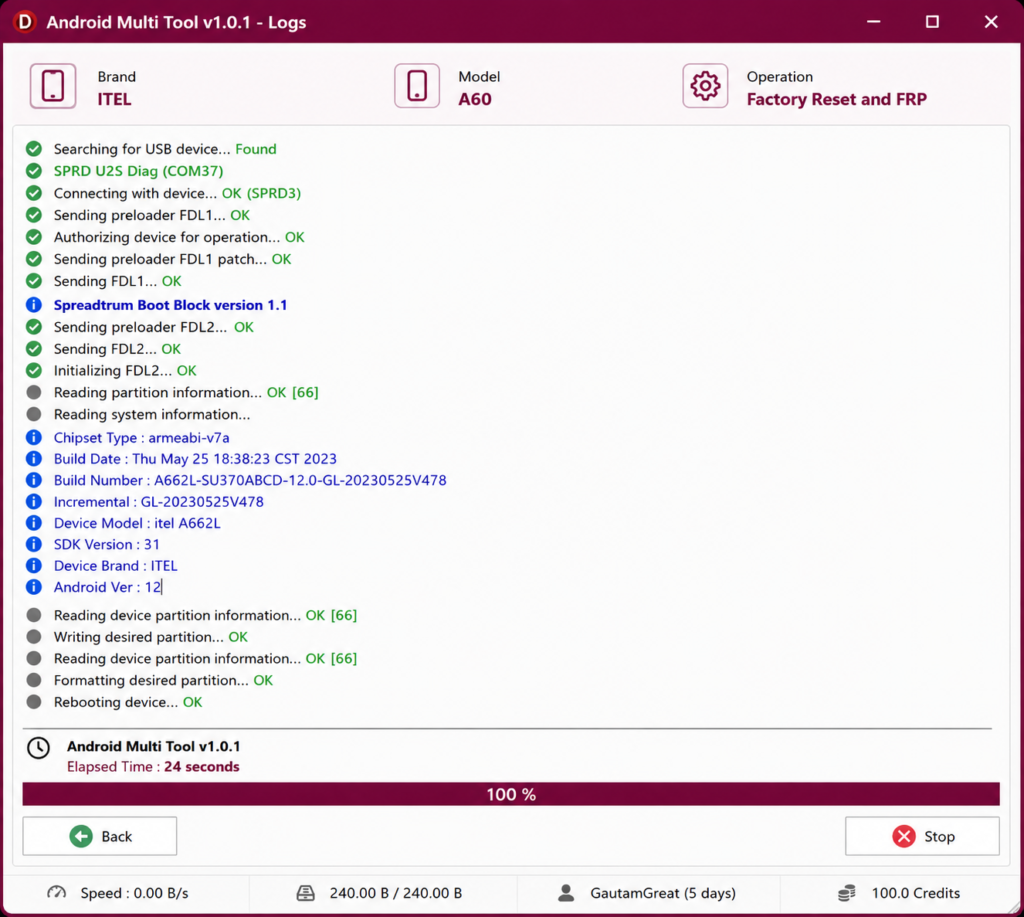
AMT Tool Key Features
Regular software updates, expanding device support, and online server-based services provide technicians with different options for Android software repair. However, available functions may vary depending on the device model, chipset, Android version, security patch, and current server status.
Some of the key capabilities associated with supported AMT Tool versions include:
- Support for multiple Android brands
- MediaTek and Qualcomm-related functions
- FRP reset and factory reset for authorized repairs
- Firmware flashing and partition management
- Updates for supported devices and services
- Login-based activation and server-side functions
Users who need online servicing operations may need to complete the AMT Tool register process before accessing certain features. Depending on the selected operation, technicians may also need credits, so users should verify the latest AMT Tool credit price in Pakistan through the applicable official service information before purchasing.
AMT Tool activation options can vary depending on the service provider, account type, available services, and current server system. Users looking for AMT Tool 3-month activation or longer activation periods should verify the available duration, supported services, and current activation requirements before purchasing.
Technicians who are comparing different servicing utilities can also explore AMT Tool alternatives and compare their supported devices, features, activation requirements, and pricing.
Supported Android Brands
Android Multi Tool supports various Android brands based on model, chipset, security patch, and server status. The official website mentions support for brands like Vivo, Xiaomi, Tecno, Infinix, Itel, Realme, Karbonn, Samsung, and OPPO.
Commonly Supported Brands
| Brand | Brand |
|---|---|
| Samsung | Xiaomi |
| Redmi | POCO |
| Vivo | OPPO |
| Realme | OnePlus |
| Motorola | Tecno |
| Infinix | Itel |
| Lenovo | Huawei |
Support can change with updates, so always check the official supported model list before using the tool.
Qualcomm and MediaTek Support
AMT Tool supports both Qualcomm- and MediaTek-based devices, depending on the model and operation. Some functions may require online authorization, credits, or active server access.
The official site shows separate authorization server statuses for different brand and chipset services such as Realme MediaTek Auth, Xiaomi EDL/BROM Auth, Xiaomi Fastboot to EDL Auth, and other brand-based services.
Because many Qualcomm and MediaTek functions rely on online authentication, technicians frequently monitor the AMT Tool server status before starting repair jobs. Temporary maintenance or server downtime may affect supported operations.
Features of AMT Tool
AMT Tool includes many Android repair features for professional use. The available function depends on the phone brand, chipset, security patch, Android version, and whether the operation needs credits or server authentication.
FRP Unlock
The AMT tool includes FRP reset support for authorized devices. FRP stands for Factory Reset Protection, a security feature designed to protect Android devices after a reset.
This feature should only be used when the device belongs to you or your customer has provided proof of ownership. Unauthorized FRP bypass or account removal may be illegal and can violate device security policies.
Pattern & Screen Lock Removal
AMT Tool can help technicians handle screen lock servicing on supported devices. This may include pattern, PIN, or password-related repair functions depending on device mode and support.
Before using this function, technicians should confirm ownership and back up data where possible. Screen lock removal may erase user data on many devices.
Bootloader Unlock
Some supported devices may offer bootloader-related operations. Bootloader functions are useful for advanced repair, firmware installation, or recovery work.
Bootloader unlocking can wipe the device and may void the warranty. It should only be performed when the user understands the risk.
Flashing Support
Flashing support allows technicians to install or repair firmware on supported Android devices. This is useful when a phone is stuck on the logo, facing boot loop issues, or needs stock firmware restoration.
Wrong firmware can damage the software state of the phone, so the exact model number and firmware version must be checked before flashing.
RPMB Read & Write
RPMB Read & Write functions are advanced Android servicing operations used in specific repair and diagnostic situations. Their availability can depend on the supported device, chipset, software version, and current AMT Tool version.
These operations are intended for trained technicians who understand the device’s storage and servicing requirements. Incorrect RPMB operations can cause software problems, data loss, or device instability, so technicians should verify device compatibility and requirements before using these functions.
Partition Manager
The AMT tool includes partition-related functions for advanced users. Partition Manager helps technicians view or manage supported partitions during repair work.
This feature should be used carefully because incorrect partition changes can cause boot failure, data loss, or device instability.
Factory Reset
Factory reset support helps restore a device to default software settings. It is often used when a phone has software errors, performance problems, or needs preparation for resale.
A factory reset usually removes user data. Always confirm permission before performing this operation.
IMEI & Device Information
AMT Tool can show important device information such as model, chipset, firmware details, serial information, and other diagnostic data.
This page does not recommend or guide IMEI modification. In many countries, changing or tampering with an IMEI is illegal. Use this feature only for reading and verifying device information.
Vivo Authentication
Some Vivo functions may require online authentication or credits. Vivo devices often use stronger security, so supported operations depend on server status and model support. Vivo authentication services may become temporarily unavailable during maintenance. For this reason, checking the latest AMT Tool server status before beginning any online operation can help avoid interruptions.
Samsung MTK Support
The AMT Tool includes Samsung and MediaTek-related support for selected models. This can help technicians with factory reset, FRP reset, or software repair functions where these are supported.
OPPO & Realme Functions
AMT Tool supports selected OPPO and Realme devices. Some functions may depend on MediaTek auth, Qualcomm mode, or server-based authorization.
The official AMT website shows OPPO, OnePlus, and Realme-related services with different online/offline server statuses, so always check the current status before starting repair.
AMT Tool Supported Models
AMT tool-supported models change with every update. New devices are added, old functions may be improved, and some services may depend on online server availability.
The official website has a Supported Models section, but users should verify the exact model before performing any operation.
Samsung Supported Devices
AMT Tool supports selected Samsung devices, including some MediaTek-based Samsung phones. Support depends on chipset, Android version, and security patch.
Xiaomi Supported Devices
Xiaomi, Redmi, and POCO devices are commonly supported in AMT Tool for selected operations. Some Xiaomi functions may require EDL, BROM, Fastboot, or Mi Assistant mode depending on the model. A third-party changelog source for AMT v1.3.5.5 is mentioned.
A third-party changelog source for AMT v1.3.5.5 mentions new Qualcomm SM8750-AB Snapdragon 8 Elite model support and lists newer Xiaomi models such as Xiaomi 15, Xiaomi 15 Pro, Xiaomi 15 Ultra, Redmi K80 Pro, Redmi K90, Xiaomi Pad 8 Pro, and Xiaomi MIX Flip. Since this is not the official changelog page, verify before publishing final download claims.
Conclusion
AMT Tool is Windows-based Android servicing software that provides different repair and maintenance functions depending on the supported device, chipset, Android version, security patch, and available online services. Supported operations may include firmware flashing, factory reset, FRP reset on authorized devices, partition management, and device information.
Before using any repair function, technicians should verify the exact device model, supported operation, software requirements, and current server status. Some services may also require account registration, activation, authorization, or credits.
For more information about this website and the content we provide, visit our About Us page. Users can also review our Terms & Conditions and Privacy Policy before using the information or resources available on this website. If you have any questions, suggestions, or concerns, you can contact us.